
Why Shopify and QuickBooks never match, and how to close the gaps
The recurring reasons Shopify sales and QuickBooks Online deposits disagree, from batched payouts and fees to refunds, sales tax and timing, and a month-end routine for closing each gap.

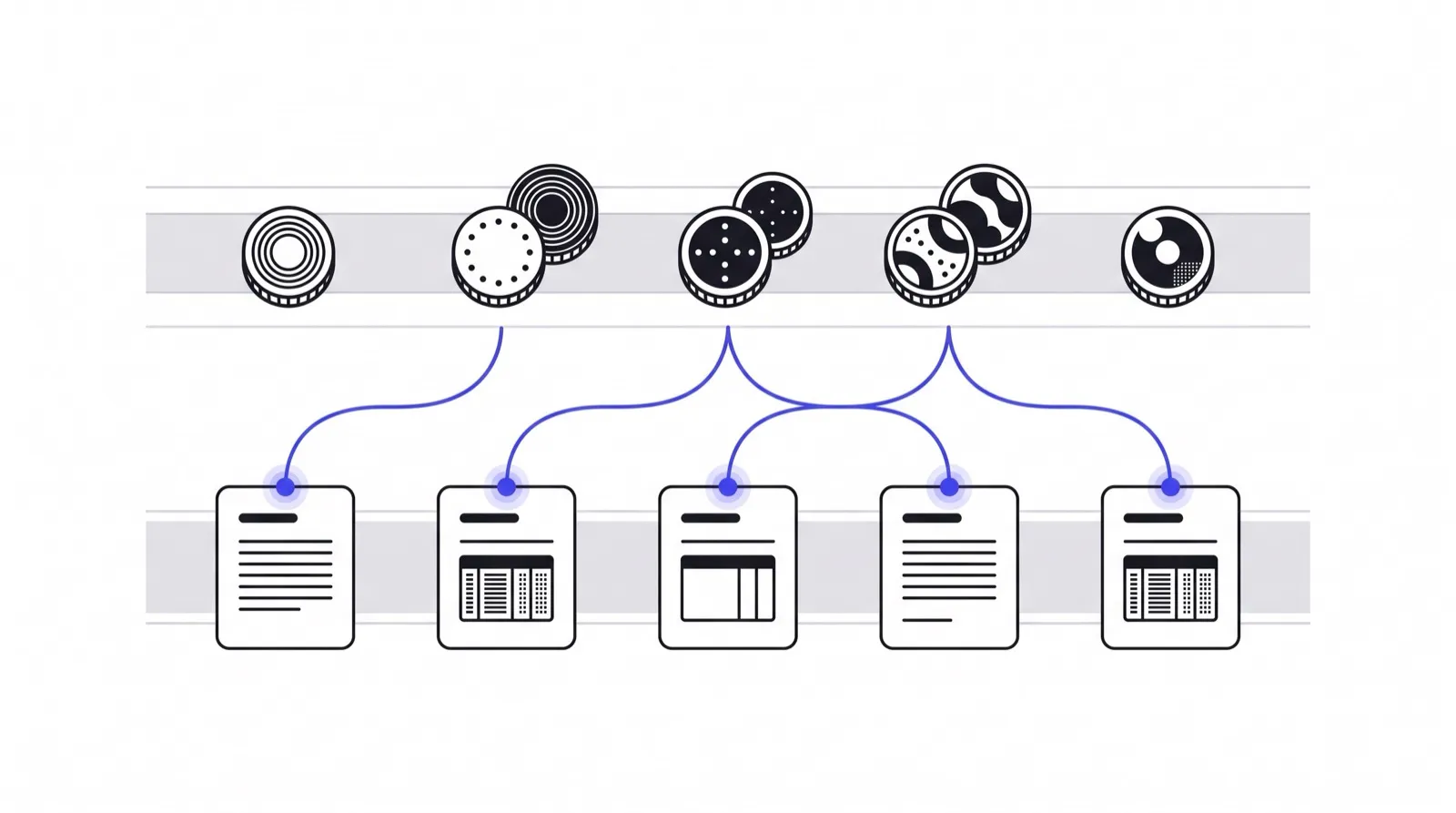
Shopify records orders. QuickBooks records money. Those are two different things, which is why a Shopify store and its QuickBooks Online file almost never agree on any given day, even when nothing is wrong. This guide is for bookkeepers and store owners who reconcile the two at month end, and it explains the specific gaps you will meet and how to close each one.
The core idea is that a bank deposit from Shopify Payments is a single net amount covering many orders. QuickBooks sees one deposit line. Shopify sees dozens of orders. Reconciliation is the work of proving the one equals the many, minus what was deducted.
Gap 1: Batched payouts
Shopify pays out in batches. One deposit can cover orders from several days, and a single day’s orders can land in different deposits. If you try to match order totals to deposits one for one, nothing lines up.
Fix: match at the payout level. Take the payout report for that deposit, confirm its total equals the bank line, and only then assign the payout’s contents to income, fees and refunds. The deposit is the unit of reconciliation, not the order.
Gap 2: Fees netted out of the deposit
The bank shows the net amount. If you book that net amount as income, revenue is understated by the processing fees, and the fees never appear as an expense.
Fix: book gross sales as income and processing fees as an expense, with the deposit as the difference. Many teams use a clearing account, often called Shopify Clearing, so orders post gross into it, fees post out of it, and the deposit clears it to the bank. When the clearing account is zero at month end, the period is reconciled. A balance left in it is your list of unexplained items.
Gap 3: Refunds and chargebacks crossing periods
A refund reduces the payout when it is issued, which may be a different month from the sale. A chargeback does the same and adds a fee, and if the dispute is won, the money returns later.
Fix: record refunds against the original sale, using a refund or credit memo, but let the cash side follow the payout date. For disputes, track an “expected recovery” item and clear it when the funds come back. Do not net a dispute silently into sales.
Gap 4: Sales tax and shipping
Shopify totals include sales tax collected and shipping charged. Tax is a liability, not income. Shipping may be income, or may offset a carrier expense, depending on your policy.
Fix: split each order into product revenue, shipping revenue and tax payable. Confirm the tax figure against the report you file from, so QuickBooks and the filing agree.
Gap 5: Other payment sources
A store often takes PayPal, Stripe or gift cards beside Shopify Payments. Each pays out on its own schedule and in its own file layout. Gift cards are the awkward one, since selling a card is a liability and redeeming it is the revenue.
Fix: reconcile each source to its own bank or clearing account separately, then total them. Never merge sources before each one balances on its own.
Gap 6: Currency
A payout in a different currency from the books means a conversion rate, a conversion fee and sometimes a small rounding difference. The sale, the fee and the deposit are each valued at different moments.
Fix: use the rate shown on the payout, book the difference to a foreign exchange gain or loss account, and keep the rate source in the note.
A month-end routine
- Export the payout reports for every source for the month.
- Match each payout total to its bank line. Anything that fails goes on the exceptions list immediately.
- Post gross sales, tax, shipping, fees and refunds through the clearing account.
- Confirm the clearing account nets to zero, or to a short list of dated, explained items.
- Check that fee rate and refund totals look reasonable against the prior month.
- File the exceptions list with the working papers.
Where tools fit
Native connectors can post summary journals, but the explanation of a gap, in words a client understands, is still manual. A bookkeeper with thirty store clients repeats this routine thirty times. ReconMatch is my attempt at that gap: it takes deposit and payout files from Shopify, Stripe, PayPal, Amazon, Etsy and the bank, matches each line to the ledger in QuickBooks Online or Xero, and writes a plain-English note with a confidence score for anything that does not match. It runs in production against sandbox connections while the QuickBooks and Xero production keys are pending, so I would not call it ready for client books yet. The details are on the ReconMatch product page.
For the merchant side of the same problem, where the question is “why is my payout smaller than my sales”, see Settled and the walkthrough How to reconcile a Shopify payout to orders and the bank. If the problem is profit after fees rather than ledger accuracy, TrueMargin covers it.
The rule that prevents most errors
Reconcile cash first and orders second. Cash is verifiable against a bank statement. Orders are only verifiable against themselves. Start from the bank line, work back through the payout, and each gap in this guide shows up as a named, explainable line instead of a vague difference.

Written by Brandon Ta
Solo developer in Vietnam, building eleven small products in the open, mostly for businesses in the US and UK.
Comments
Join the conversation! Share your thoughts, ask questions, or connect with other readers below.